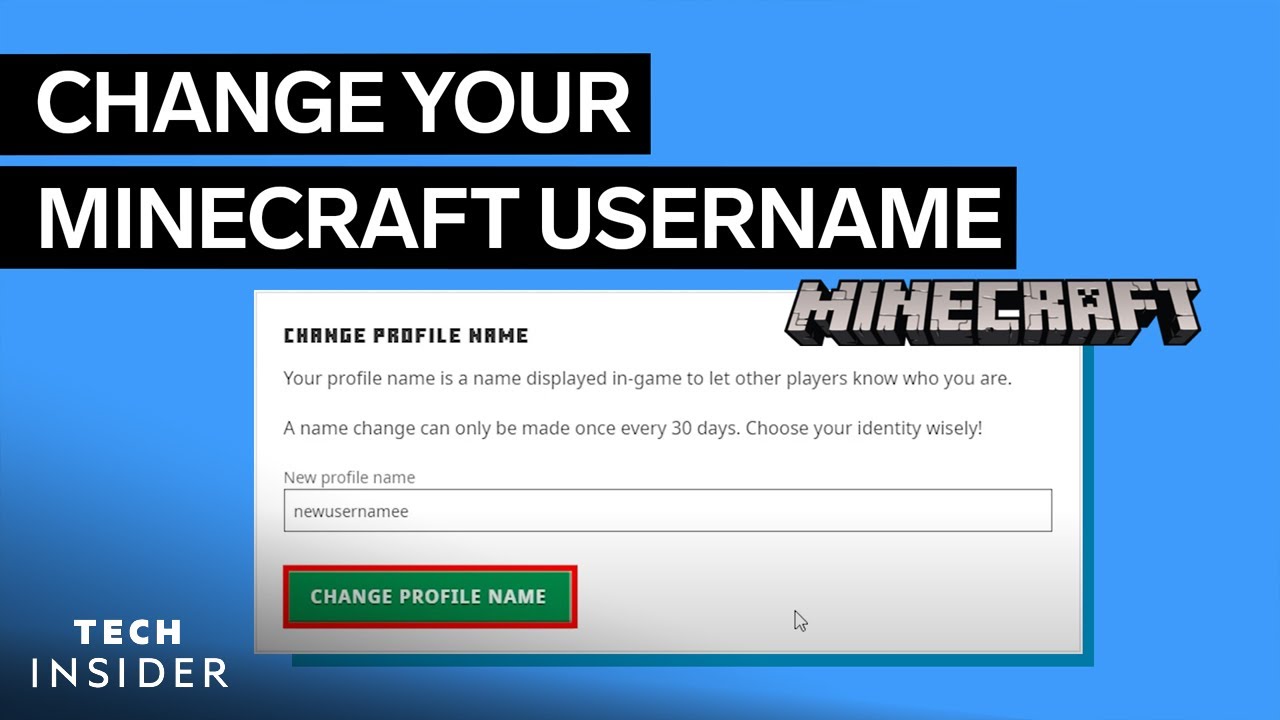
Ever wondered how to change account name on Minecraft without losing your cozy patch of pixelated land? It’s more straightforward than you think, but there’s some fine print you’ll want to know before diving in. Your username on Minecraft isn’t just a name; it’s your identity in a vast universe of blocks and builders. Changing it can feel like rebranding your digital self. Lucky for you, the official Minecraft help center spells out the basics, but let me take you deeper into the process with 2026’s latest tweaks and insider tips 🚀.
Why Change Your Minecraft Account Name?
Maybe your original name was a half-baked joke, or you’ve grown out of that edgy 2010 moniker. In 2026, players are more conscious of usernames reflecting personal branding or just plain fun. Changing your Minecraft name might boost your social presence on multiplayer servers or simply refresh your gaming vibe.
Quick Facts on Minecraft Naming
- Usernames can be changed once every 30 days to prevent abuse.
- Your new name must be unique across all Minecraft players.
- Account names are tied to Mojang/Microsoft accounts since the migration.
Step-By-Step Instructions to Change Minecraft Account Name
- Log into your Microsoft account linked to your Minecraft profile.
- Navigate to the Xbox profile settings page, where your Minecraft name is managed.
- Select “Customize Profile” and then [4mChange Gamertag[0m.
- Type your preferred new username, then check availability.
- Confirm and complete the change. Keep in mind the 30-day cooldown rule for next changes.
For a visual and detailed tutorial, this video guide on changing Minecraft username is a superb walkthrough from a trusted Minecraft community member.

Source: www.youtube.com
Important Notes About Minecraft Username Changes
- Changes apply to the username displayed in-game and online servers that recognize the Microsoft/Xbox account.
- Changing names does NOT change your login credentials — those remain your email and password tied to Microsoft.
- Some legacy Minecraft accounts (pre-Microsoft migration) may have different procedures; double-check your account type.
- Be aware of scams offering ‘name change services’ — stick to official Microsoft controls for security.
The 30-Day Rule and Its Implications
Once you’ve changed your Minecraft name, a mandatory 30-day waiting period kicks in before the next change. This policy prevents confusion in multiplayer communities and guards against identity abuse. Mark your calendar 📅 and make that first change count!
How Name Changes Affect Minecraft Servers and Friends
Your new identity might look shiny, but Minecraft servers recognize accounts through internal IDs, not just usernames. So, your saved worlds and friends list should stay intact. Yet, it’s wise to notify your Minecraft buddies before the switch to avoid surprise moments when they can’t find you under your old name.
Reminder
Your Minecraft name change is reflected nearly everywhere but double-check that your favorite servers recognize the new nickname smoothly.
Troubleshooting Common Problems When Changing Minecraft Names
- Your desired username is unavailable: Try variations or add numbers.
- Can’t change name because of account type: Confirm your Microsoft account is correctly linked.
- Errors during the process may require logging out and back into your Microsoft account.
- Server lag in recognizing your new name may last a few hours; patience is key.
Source: www.namehero.com
Alternatives if You Can’t Change Your Minecraft Name
If the 30-day lockout is frustrating or you want to play around with names without hassle, consider creating alternate Minecraft profiles on different Microsoft accounts. This isn’t the official way but lets enthusiasts explore creative names and styles freely.
Best Practices to Choose Your New Minecraft Username
- Keep it simple and pronounceable; you want friends calling you easily.
- Use combinations of your interests, e.g., “PixelChef26” or “BlockMage.”
- Avoid special characters to ensure compatibility with most servers.
- Check popular Minecraft forums like CubeCraft’s guide on forum name changes for creative inspiration and community rules.
Security Concerns When Changing Your Minecraft Account Name
Changing your account name can trigger attention from scammers aiming at hijacking your account. Keep a close eye on your login info and activate two-factor authentication on your Microsoft account. Your digital fortress depends on it!
“Think of your Minecraft name change like moving to a new city — exciting but needing some preparation and a watchful eye on your belongings.”
Final Thoughts on How to Change Account Name on Minecraft
By mastering how to change account name on Minecraft, you get to reinvent your identity within an ever-evolving community. As 2026 players know, the process is straightforward yet demands attention to rules and security. Stick to official channels, respect the cooldown, and embrace your refreshed online persona! This knowledge isn’t just for newbies — veterans needing a fresh start will also find clarity here.
Frequently Asked Questions
Can I change my Minecraft username as often as I want?
No. Minecraft restricts username changes to once every 30 days to prevent confusion and misuse among players.
What if my username change isn’t showing up in multiplayer servers?
Some servers take a little time to register changes. Waiting a few hours usually resolves this. If it persists, contacting the server admin helps.
Is there a risk in changing my Minecraft name?
The only risks come from falling for scams. Always use official Microsoft or Minecraft account controls to avoid account compromise.
Will changing my Minecraft username affect my saved worlds?
No. Your saved worlds are connected to your account’s internal ID, so they remain untouched by username changes.
How do I make sure my Minecraft account is secure during a name change?
Use strong passwords and enable two-factor authentication on your Microsoft account. Regularly check account activity for any suspicious logins.

